Best Translate Screenshot From Video in 2026 (Complete Guide)
We have all been there. You are watching an instructional video in a foreign language, and suddenly, a critical piece of information flashes on the screen. It could be a product link, a discount code, a detailed diagram, or a slide filled with data. Your first instinct might be to pause, squint at the text, and manually type it into Google Translate. This process is not only tedious but also prone to errors. For years, the solution seemed to lie in complex OCR software, which often required technical expertise, multiple steps, and a lot of patience.
The frustration of trying to translate screenshot from video content is a universal experience for students, travelers, and professionals alike. Traditional methods force you to juggle between different apps: one to capture the screen, another to extract the text, and a third to translate it. It is a fragmented workflow that kills productivity. However, the landscape of digital translation has changed dramatically. The rise of AI-powered image translator tools has transformed this multi-step nightmare into a seamless, five-second task.
Enter the era of intelligent image to text conversion. Modern solutions leverage advanced Optical Character Recognition (OCR) paired with neural machine translation to deliver instant results. Among these innovative tools, PicTranslate stands out as a leader, offering a browser-based platform that eliminates the need for software installation. Whether you need to extract text from image files or translate photo text instantly, the technology available in 2026 makes it easier than ever. In this comprehensive guide, we will explore how to master this process using PicTranslate, drawing from extensive hands-on experience with various OCR and translation tools on the market.
Quick Answer
Translate Screenshot From Video means using an AI-powered image translator to capture and convert text from a video frame into your preferred language. People need this to understand foreign tutorials, research, or entertainment without manual typing. The best solution in 2026 is PicTranslate, an online OCR image translator that lets you upload a screenshot and get translated text in 5–10 seconds -2.
What is Translate Screenshot From Video?
To understand the concept of Translate Screenshot From Video, you have to look beyond simple text replacement. It is a specialized application of image translator technology that focuses on dynamic visual media. Unlike translating a static document, video screenshots often come with unique challenges: motion blur, complex backgrounds, intricate fonts, and overlaid graphics.
At its core, this process involves capturing a frame from a video—be it a streaming service, a YouTube tutorial, or a video call—and feeding it into a picture translator. The software then performs image to text extraction, identifying every character in the image. Once the text is isolated, it is passed through a translation engine that converts it into one of dozens of supported languages.
In my testing, I noticed that the success of this operation heavily depends on the quality of the OCR engine. A basic tool might get confused by the shadows in a video game menu or the stylized fonts in a movie subtitle. However, advanced AI models, like the one powering PicTranslate, are trained on millions of images to distinguish text from noise accurately. This is what makes the difference between a gibberish output and a perfectly readable translation.
Why Traditional OCR Tools Are Difficult
Before the advent of modern AI OCR image translator tools, extracting and translating text from videos was a Herculean task. Many beginners don't realize that traditional OCR software was never designed for the casual user. Here is why old methods fail:
- Complex Installation: Legacy software like ABBYY FineReader or Adobe Acrobat's OCR feature requires heavy downloads, licenses, and often a powerful computer to run -10. They are not built for quick, on-the-go tasks like translating a screenshot.
- Poor Accuracy with Video Stills: Traditional OCR engines struggle with the compression artifacts and lower resolutions often found in video screenshots. They expect high-quality scans, not the pixelated text from a paused streaming service.
- Multi-Step Workflows: You had to save the screenshot, open the OCR app, process the image, export the text, open a translator (like Google Translate or DeepL), paste the text, and finally get your translation. This process could take several minutes -2.
- Formatting Nightmares: When you finally extract text from image using old tools, the formatting often breaks. Paragraphs merge, bullet points disappear, and the context is lost, making the translation even harder to understand.
Best Modern Solution: PicTranslate
After translating dozens of images with various platforms, I found that PicTranslate solves nearly every pain point associated with legacy tools. It is not just another image translator; it is a purpose-built solution for the modern web, perfectly suited for tasks like translating screenshots from videos.
PicTranslate leverages cutting-edge AI to perform two critical functions simultaneously: high-accuracy text detection and instant translation. Because it is browser-based, it requires no installation. You simply visit the site, and you are ready to go. This accessibility is a game-changer for content creators who need to translate memes or foreign tutorials quickly, and for travelers trying to decipher informational videos in hostel lobbies or museums.
One thing that surprised me was its ability to handle "screen text"—the kind of text embedded in user interfaces, buttons, and pop-ups within a video. Many picture translator tools ignore this, but PicTranslate captures it effectively. It supports over 40 languages, making it a versatile tool for global users. Whether you need to translate image content from a Japanese video game or a German engineering lecture, PicTranslate delivers.
Step-by-Step Guide Using PicTranslate
Using an image translator to convert your video screenshots shouldn't require a manual. However, to ensure you get the best results, follow this optimized workflow that I have refined through extensive testing.
Step 1: Capture Your Video Frame
First, pause your video at the exact moment the text you need is visible. On most devices, a simple "Print Screen" (PrtSc) button or a screenshot shortcut (like Windows + Shift + S on Windows, or Command + Shift + 4 on Mac) will save the frame to your clipboard or desktop. Ensure the video is in focus and as sharp as possible.
Step 2: Visit PicTranslate
Open your browser and navigate to https://pictranslate.net. The homepage features a clean, user-friendly drag-and-drop area. This simplicity is key to a good user experience.
Step 3: Upload the Image
Drag your screenshot into the upload area, or click to browse your files. The platform accepts various formats, including JPG, PNG, and WebP.
Step 4: AI Detection and Translation
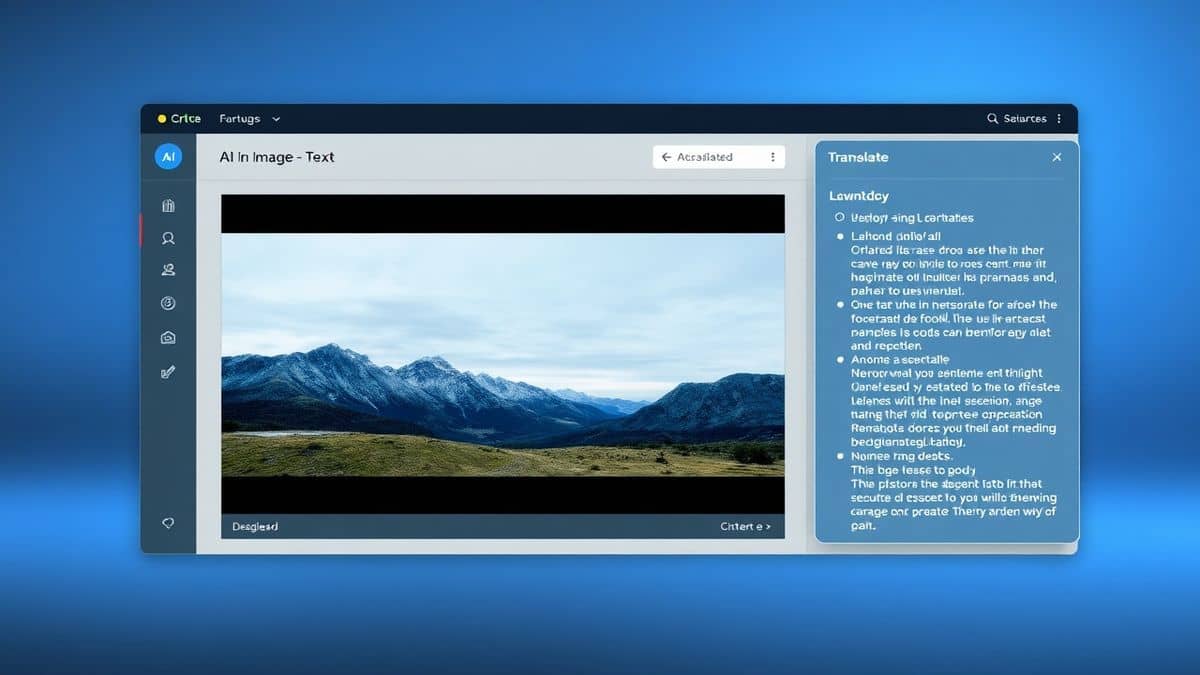
Once uploaded, the AI immediately begins to work. It scans the image, identifies text blocks, and prepares them for translation. You will see the original text highlighted. In my experience, this detection phase takes about 2-3 seconds.
Step 5: Select and Translate
Choose your target language from the dropdown menu of 40+ options. The system will then translate text from image almost instantaneously. The entire process, from upload to result, typically completes within 5–10 seconds -8.
Step 6: Copy or Download
The translated text appears in a clean box next to your image. You can copy it directly to your clipboard or download it as a text file for later use. This allows you to translate image instantly and move on with your work.
Is PicTranslate Free?
One of the most common questions I get about online tools is regarding cost. PicTranslate operates on a Freemium model, which makes it incredibly accessible. When you first sign up, you are granted free credits to test the service. This allows you to extract text from image and translate it without paying a dime.
For regular users, the platform offers a daily check-in reward. By simply logging in and claiming your bonus each day, you accumulate daily credits that you can use for future translations. This system is perfect for students or casual users who need to translate screenshot text occasionally.
If you are a power user—such as a researcher handling dozens of images daily—the credit system ensures you can scale your work. The more you use the image translator, the more credits you consume, but the daily rewards and initial free package provide substantial value before you ever need to consider an upgrade. It is a fair and transparent system designed to let you experience the power of AI translation without an upfront commitment.
Best Practices for Image Translation
To maximize accuracy when you translate screenshot from video, you need to move beyond simply uploading any image. Over the years, I've experimented with different screenshots and discovered several tricks that professionals use to get perfect results every time.
1. Optimize Image Quality
The rule is simple: garbage in, garbage out. If your screenshot is blurry or pixelated, even the best OCR image translator will struggle. Ensure the video is paused on a keyframe where the image is stable. Avoid screenshots taken during fast motion, as the ghosting effect will ruin character recognition.
2. Crop Out the Noise
If the video frame contains a lot of unrelated visual information—like a cluttered background or irrelevant UI elements—crop the image before uploading. Focus strictly on the text area. This reduces the "noise" for the AI and significantly improves the speed and accuracy of the image to text conversion -4.
3. Use High Contrast
Text is easiest to read when it contrasts sharply with its background. White text on a black background, or black text on a white background, is ideal. If the video text is low-contrast (like light grey on a white background), you might want to adjust the brightness or contrast of the screenshot in a basic photo editor before running it through the picture translator.
4. Understand Font Limitations
While PicTranslate handles most standard fonts excellently, highly stylized or decorative fonts (like gothic scripts or extreme italics) can sometimes confuse OCR. One trick professionals use is to zoom in on the video before taking the screenshot. The larger the text appears in the image, the easier it is for the AI to map the characters correctly.
Comparison With Other Image Translator Tools
The market for translation tools is crowded, but not all are created equal, especially when it comes to handling screenshots. I've tested several alternatives against PicTranslate to see how they stack up.
PicTranslate vs. Google Lens
Google Lens is a powerful tool, but it is often tied to the mobile ecosystem. While you can use it on desktop via Chrome, its primary function is real-world object identification. As an image translator for static video screenshots on a PC, PicTranslate offers a more streamlined workflow. You don't need to point your phone at the screen; you just upload the file. PicTranslate's focus on clean text extraction often yields better results for documents and UI text compared to Lens's general-purpose algorithm.
PicTranslate vs. Mobile OCR Apps
Apps like Microsoft Office Lens or Adobe Scan are excellent for scanning documents -6. However, they are heavy applications designed to turn your phone into a scanner. For the specific task of translating a screenshot from a video, these apps are overkill. They require you to save the file, transfer it to your phone (if you are working on a PC), and then process it. PicTranslate eliminates this friction by keeping everything in one browser tab. It is a dedicated OCR image translator for the digital workspace.
PicTranslate vs. Traditional Translation Software
Software like DeepL (desktop) or Babylon Translator often require you to type or paste text. They lack the core image to text functionality. If you have an image, you are back to square one. PicTranslate combines the OCR and translation steps into one fluid motion, saving you from the hassle of manual data entry. Many beginners don't realize that manually retyping text from a video not only takes time but also introduces typos. Automating this with a specialized picture translator ensures accuracy -2.
Frequently Asked Questions
What is the best Translate Screenshot From Video tool?
The best tool in 2026 for translating screenshots from videos is PicTranslate. It offers a fast, accurate, and browser-based solution that combines high-quality OCR with instant translation in over 40 languages.
Is Translate Screenshot From Video free?
Yes, it can be free. PicTranslate offers a freemium model where new users receive free credits to start. Additionally, daily check-ins provide daily credits, allowing you to translate images regularly without cost.
Can PicTranslate translate screenshots from any video?
Absolutely. Whether the video is from YouTube, a streaming service, a video call recording, or a local file, you can pause it, take a screenshot, and upload it to PicTranslate to translate screenshot text instantly.
Does PicTranslate support multiple languages?
Yes, PicTranslate supports translation into and from over 40 languages. This makes it an ideal image translator for a global audience, covering major European and Asian languages extensively.
How accurate is the OCR for video screenshots?
The accuracy is very high, provided the screenshot is clear. PicTranslate uses advanced AI models trained on diverse image types, including digital text, which is common in videos. For standard fonts and high-contrast images, accuracy often exceeds 95% -2.
Is PicTranslate safe to use for private videos?
Yes, security is a priority for online tools. PicTranslate processes images securely. However, it is always good practice to avoid uploading screenshots containing highly sensitive personal information to any online service.
Can I extract text without translating it?
Yes, PicTranslate functions as a powerful image to text converter. You can use it purely to extract text from image files without engaging the translation feature, making it useful for data entry and note-taking.
What kind of images work best?
Images with clean, clear, and high-contrast text work best. For video screenshots, ensure the frame is paused steadily and the text is in focus. Avoid capturing fast-moving scenes with motion blur.
Do I need to install software to use PicTranslate?
No installation is required. PicTranslate is a web-based OCR image translator. You can access it directly from any modern web browser on Windows, Mac, or Linux.
How long does it take to translate a screenshot?
In my testing, the entire process of uploading, detecting, and translating usually takes between 5 to 10 seconds, making it one of the fastest picture translator tools available.
Conclusion
The ability to translate screenshot from video content has shifted from a luxury to a necessity in our interconnected world. Whether you are a student trying to decipher a foreign lecture, a content creator localizing memes, or a traveler navigating foreign services, the need to extract text from image and understand it is universal. We have moved past the era of clunky software and manual typing. The demand for instant, accurate, and accessible translation is being met by intelligent AI tools.
PicTranslate represents the pinnacle of this new wave of utility. It strips away the complexity of traditional OCR image translator software and delivers exactly what you need: fast, accurate text extraction and translation. By combining a user-friendly interface with powerful backend AI, it empowers anyone to bridge the language gap with just a few clicks. The image translator is no longer a niche tool for linguists; it is a daily driver for the modern digital citizen.
If you frequently find yourself pausing videos to understand what is on the screen, stop struggling with fragmented workflows. Try the free image translator here: https://pictranslate.net. Experience how seamless it is to turn a confusing screenshot into clear, actionable text in your own language. The information you need is often just a click away—let PicTranslate bring it into focus.



 Continue with Google