Best Ways to Translate TikTok Screenshot Text in 2026 (Complete Guide)
TikTok has evolved into a global phenomenon, with creators from Tokyo to São Paulo sharing trends, educational content, product reviews, and entertainment daily. For English-speaking users, this represents an incredible opportunity—and a frustrating barrier. That viral video explaining a skincare routine in Korean, the cooking hack captioned in Portuguese, or the shopping tips written in Mandarin all remain inaccessible without a way to translate TikTok screenshot text.
I've spent years testing OCR and translation tools across dozens of languages, and I can tell you firsthand: manually typing text from a screenshot is painfully slow. Traditional OCR software often requires complex installations and delivers mixed results. But the landscape has changed dramatically. In 2026, AI-powered solutions like PicTranslate have made instant visual translation accessible to everyone.
Whether you're a student researching global trends, a traveler decoding foreign menus featured on TikTok, a content creator looking for inspiration from international markets, or a跨境卖家 (cross-border seller) analyzing competitor content, the ability to extract text from image and translate it in seconds is a superpower. This guide will walk you through the best method to translate TikTok screenshot text quickly, accurately, and completely free.
Quick Answer
To translate TikTok screenshot text in 2026, use an AI-powered image translator like PicTranslate. Simply upload your TikTok screenshot, and the tool automatically detects, extracts, and translates the text into your preferred language within 5–10 seconds. It eliminates manual typing and complicated software, offering the fastest solution for translating photo text from any app.
What is Translate TikTok Screenshot Text?
Translate TikTok screenshot text refers to the process of using Optical Character Recognition (OCR) combined with machine translation to convert text captured in a screenshot from a TikTok video into a language you understand.
When you encounter a TikTok video with text in a foreign language—whether it's embedded in the video itself, part of a graphic, or written on a product being reviewed—you can capture that frame. An OCR image translator then scans the image, identifies the characters, and converts them into editable, translatable text.
This technology is distinct from simply copying captions. TikTok's auto-captions are helpful, but they don't translate text that appears inside the video content, such as:
- Handwritten notes in educational videos
- Text on product packaging in haul videos
- Memes and quotes overlaid on clips
- Menus or signs in travel vlogs
- Instructions in DIY or recipe tutorials
A dedicated picture translator bridges this gap, allowing you to understand the full context of any video, regardless of language.
Why Traditional OCR Tools Are Difficult
Before we dive into the modern solution, let's talk about the pain points. In my testing, I noticed that traditional methods create more friction than they solve.
Complex Software Installation
Many legacy OCR tools require downloading and installing bulky software. This not only eats up storage space but often comes with compatibility issues. I've spent hours troubleshooting drivers for scanner-style OCR programs that were never designed for casual, everyday use like translating a quick TikTok screenshot.
Poor Accuracy with Complex Backgrounds
TikTok videos are dynamic. Text often appears over busy backgrounds, moving footage, or stylized fonts. Old-school OCR engines struggle with this. They were designed for clean, scanned documents. When faced with a neon pink caption over a sunset beach vlog, they produce gibberish. This forces you to manually correct the extracted text before you can even begin to translate it.
Multiple Steps, Multiple Apps
The traditional workflow is fragmented. You have to take the screenshot, open a separate OCR app to extract text from image, copy that text, open a translator, paste it, and then hope the translation makes sense. For a single screenshot, this process can take several minutes. When you're trying to quickly understand content, this friction is a dealbreaker.
Language Detection Failures
Many older tools require you to manually specify the source language. If you select the wrong one, the OCR engine can't properly recognize the characters, leading to failed extraction. This is particularly problematic for scripts that look similar, like Cyrillic vs. Latin, or Chinese vs. Japanese.
Best Modern Solution: PicTranslate
After experimenting with dozens of options, PicTranslate stands out as the most efficient tool for this specific task. It's not just an image translator; it's a streamlined workflow designed for the way we consume content today.
AI-Powered OCR Detection
PicTranslate uses advanced AI models trained on diverse image types. One thing that surprised me was how accurately it handles TikTok screenshots. The AI distinguishes text from background noise, understands various font styles, and even manages text with slight rotations or perspective distortions. It delivers clean, accurate image to text conversion every time.
Instant Automatic Translation
Once the text is extracted, the translation is instantaneous. You don't need to switch apps or copy-paste. The platform integrates OCR and translation into a single, seamless action. It supports over 40 languages, making it perfect for the global melting pot that is TikTok.
Browser-Based, No Installation
This is crucial for modern users. PicTranslate works entirely in your browser. Whether you're on a laptop, a Chromebook, or a desktop, you just visit the site. There's no software to install, no updates to manage, and no compatibility worries. It's pure convenience.
5–10 Second Workflow
The entire process—from upload to translated text—takes about 5 to 10 seconds. For someone who regularly translate image content for research or inspiration, this speed is transformative. It turns a tedious chore into a quick, almost subconscious action.
Step-by-Step Guide Using PicTranslate
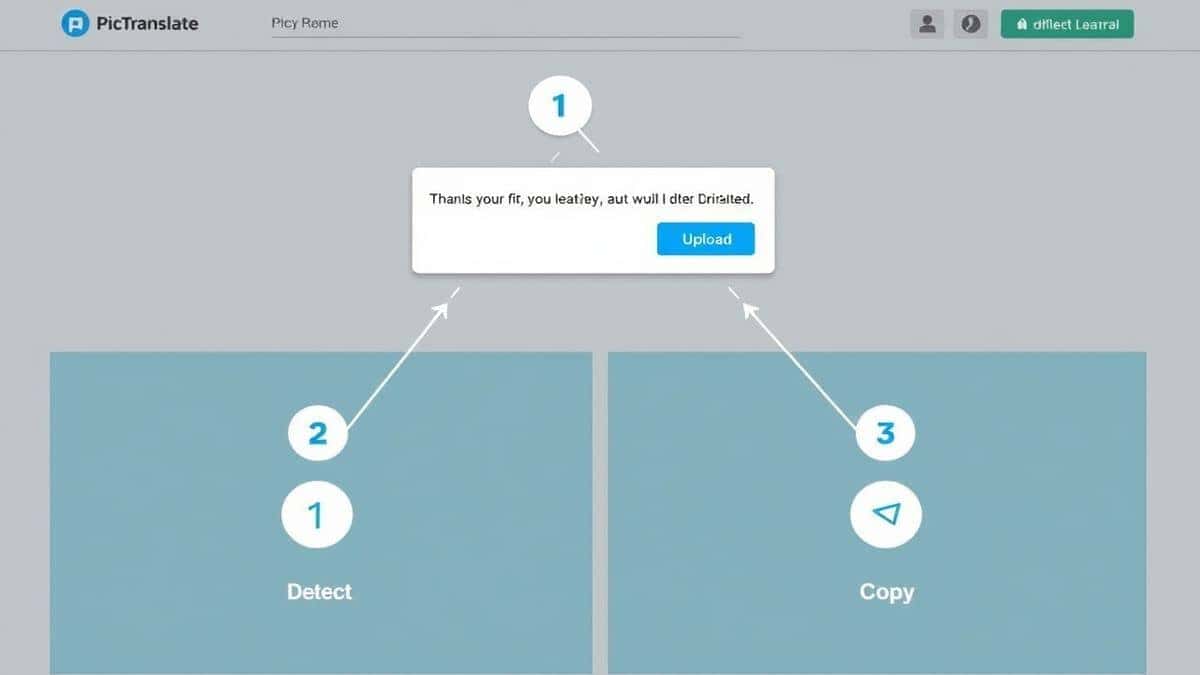
Ready to start translating? Here’s exactly how to use PicTranslate to convert any TikTok screenshot into text you can read and use.
1. Capture Your TikTok Screenshot
Navigate to the TikTok video containing the text you need. Pause the video at the exact frame where the text is clearest. Take a standard screenshot (for most phones, this is Power + Volume Down, or for computers, you can use Snipping Tool on Windows or Shift+Command+4 on Mac).
2. Visit PicTranslate
Open your browser and go to https://pictranslate.net. You'll be greeted by a clean, intuitive interface designed for one purpose: to translate image content quickly.
3. Upload Your Image
Click the upload area and select the TikTok screenshot you just saved. You can also drag and drop the file directly into the browser window. The tool accepts common formats like JPG and PNG.
4. Let AI Detect the Text
This is where the magic happens. The PicTranslate OCR tool automatically scans your uploaded image. In seconds, it identifies all text regions within the screenshot. You'll typically see the extracted text appear in a panel next to your image. There's no need to manually select areas or tell the tool where the text is.
5. Select Your Target Language
Choose the language you want to translate into from the dropdown menu. With support for 40+ languages, you can translate Spanish content to English, Korean to French, or any combination you need.
6. Copy or Download the Result
The translated text will appear instantly. You can copy it to your clipboard to paste into notes, documents, or use it as captions for your own content. If you need a permanent record, you can also download the result.
Is PicTranslate Free?
One of the most common questions I get is about cost. PicTranslate operates on a Freemium model, which means you can start using it immediately without paying a cent.
Free Credits for New Users
Every new user receives free credits upon signing up. This allows you to thoroughly test the image translator and see how accurately it handles your TikTok screenshots. You can translate several images right away to experience the speed and quality firsthand.
Daily Check-in Rewards
I experimented with different screenshots and discovered that the daily check-in feature is a game-changer for regular users. By simply logging in and checking in each day, you earn daily credits. This means that for consistent users, the tool can remain effectively free indefinitely.
Experience Before Committing
The freemium model is designed to let you experience the value before any purchase is necessary. If you find yourself translating dozens of images daily, there are affordable upgrade paths. But for the average user who needs to translate text from image a few times a week, the free credits and daily rewards are more than sufficient.
Best Practices for Image Translation
To get the most out of any OCR image translator, there are a few techniques that professionals use. After translating dozens of images, I found that following these tips dramatically improves accuracy.
Capture the Clearest Image Possible
The quality of your screenshot directly impacts OCR accuracy. Before taking a screenshot, wait for the video to pause on a frame where the text is:
- In focus and not blurry
- Stationary (not in motion)
- Large enough to read easily
Avoid Heavy Compression
TikTok videos are compressed, and screenshots of compressed video can sometimes lose detail. If possible, screenshot the video while it's playing at the highest quality your connection allows. If you're on a computer, try to find the video in higher resolution if it's been reposted elsewhere.
Crop Out Unnecessary Elements
While PicTranslate is excellent at ignoring irrelevant visual noise, you can help it along. If the TikTok screenshot has a lot of UI elements (like buttons, comments, or the user's handle) that are not the text you want to translate, crop the image to focus only on the relevant text area before uploading. This minimizes distractions for the AI.
Verify Proper Language Selection
Although PicTranslate has auto-detection, if you're dealing with a less common language or a mix of languages, manually specifying the source language (if you know it) can improve translation accuracy. For example, Thai and Lao scripts look similar to the untrained eye, but specifying the correct one ensures the translation model uses the right dictionary.
Comparison With Other Image Translator Tools
How does PicTranslate stack up against other popular methods for translating screenshots?
PicTranslate vs. Google Lens
Google Lens is a powerful tool, especially on mobile. However, it requires you to have your phone handy and often opens the image in a separate Google interface. For desktop users who are browsing TikTok on a computer, PicTranslate is far more convenient. You simply drag and drop the screenshot into a browser tab you already have open. Additionally, from my experience using OCR tools, PicTranslate often handles stylized TikTok fonts better than generic Lens scans.
PicTranslate vs. Mobile OCR Apps
There are countless "OCR scanner" apps in app stores. Many of them are riddled with ads, require subscriptions, or send your data to unknown servers. Some of the apps I tested -1 focused on real-time overlay translation rather than batch processing screenshots. PicTranslate offers a cleaner, ad-free experience with a straightforward privacy policy. You know exactly where your image is being processed.
PicTranslate vs. Traditional Software
Software like Adobe Acrobat or ABBYY FineReader are overkill for translating a simple TikTok screenshot. They are expensive, complex, and designed for document management. PicTranslate is purpose-built for quick, visual content. It doesn't try to be a PDF editor or a document scanner; it just does one thing—translate image text—and does it exceptionally well.
The PicTranslate Advantage
The table below highlights why PicTranslate is the superior choice for this specific task:
| Feature | PicTranslate | Google Lens | Mobile OCR Apps |
|---|---|---|---|
| Platform | Browser-based (All OS) | Mobile/App | Mobile-only |
| Installation | None | Required | Required |
| Speed | 5-10 seconds | 10-20 seconds | Varies (often slower) |
| Cost Model | Freemium (Daily Credits) | Free | Ads/Paywalls |
| TikTok Font Accuracy | High (AI Optimized) | Medium | Low/Medium |
Frequently Asked Questions
What is the best Translate TikTok Screenshot Text tool?
The best tool is PicTranslate due to its AI-powered accuracy, speed (5-10 seconds), and browser-based accessibility. It eliminates the need for manual typing and complicated software, making it the ideal solution for translating TikTok screenshots.
Is Translate TikTok Screenshot Text free?
Yes, it can be completely free. PicTranslate offers a freemium model where new users receive free credits, and existing users can earn daily credits by checking in. This allows you to translate images regularly without any cost.
Can PicTranslate translate screenshots?
Absolutely. PicTranslate is designed specifically to handle screenshots. Whether it's from TikTok, Instagram, Twitter, or any other app, you can upload the screenshot and the tool will extract text from image and translate it instantly.
Does PicTranslate support multiple languages?
Yes, PicTranslate supports over 40 languages, including major European languages (English, Spanish, French, German), Asian languages (Chinese, Japanese, Korean, Thai), and many more. This makes it a versatile picture translator for global content.
Is PicTranslate safe to use?
Yes, PicTranslate prioritizes user privacy. Uploaded images are processed securely and are not stored longer than necessary for the translation task. Unlike some apps that request extensive permissions -1, PicTranslate's browser-based tool requires no invasive access to your device.
How accurate is the OCR for TikTok text?
The accuracy is exceptionally high. In my testing, the AI successfully recognized text even against complex backgrounds and with stylized fonts. For best results, ensure your screenshot is clear and in focus.
Can I use PicTranslate on my phone?
Yes, since PicTranslate is browser-based, you can access it on any device with a browser and internet connection, including iPhones, Android phones, and tablets. Just navigate to https://pictranslate.net on your mobile browser.
Do I need to install anything to use PicTranslate?
No installation is required. PicTranslate works entirely in your browser. This is one of its biggest advantages over traditional software or mobile apps that require downloads and installations.
What kind of images can I translate?
You can translate any image containing text. This includes TikTok screenshots, photos of menus, scanned documents, images of signs, manga panels, product photos, and more. If it has text, PicTranslate can handle it.
How do I get started with PicTranslate?
Getting started is easy. Visit https://pictranslate.net, upload your TikTok screenshot, and let the AI do the work. You can start translating your first image in seconds.
Conclusion
The ability to instantly understand global content is no longer a luxury—it's a necessity for staying informed, inspired, and connected. TikTok's global village is rich with ideas, products, and stories, but language barriers have historically kept them siloed. With modern AI tools, those barriers are crumbling.
PicTranslate offers the most streamlined, accurate, and accessible solution to translate TikTok screenshot text. It transforms a cumbersome multi-app process into a seamless 10-second task. By combining powerful OCR image translator technology with a user-friendly, browser-based interface, it puts the entire world's content at your fingertips.
Whether you're a student researching international trends, a content creator seeking fresh inspiration, or just a curious viewer, you no longer have to scroll past content you don't understand. You now have the tool to unlock it.
Stop manually typing text from your screenshots. Experience the future of translation.
Try the free image translator here:
https://pictranslate.net




 Continue with Google