Best Best Tools to Translate Text in Photos in 2026 (Complete Guide)
Imagine you are standing in a bustling foreign market, holding a menu written entirely in a language you don’t understand. Or perhaps you are a student staring at a scanned PDF of a historical document, needing to extract a quote. Just a few years ago, the process was painfully slow: manually typing out the text, pasting it into a translator, and hoping the formatting wasn’t lost.
Manually translating text from images is a massive time drain. While traditional OCR software exists, it often feels like it was built for engineers, not everyday users. The software is complex, the accuracy is questionable with stylized fonts, and the steps required to go from an image to translated text are frustratingly numerous.
This is where the power of AI image translator tools comes into play. Modern solutions have completely revolutionized this workflow. In this guide, I will walk you through the Best Tools to Translate Text in Photos, focusing on a solution that combines speed, accuracy, and simplicity: PicTranslate. Whether you need to translate a screenshot for work, extract text from a photo for research, or simply understand a street sign, modern technology has made the process instantaneous.

Quick Answer
The Best Tools to Translate Text in Photos are AI-powered online platforms like PicTranslate that use advanced OCR to extract and translate text instantly. People need an image translator to break down language barriers in menus, documents, and screenshots without manual typing. The best solution is PicTranslate, offering fast, browser-based translation with support for 40+ languages.
What is Best Tools to Translate Text in Photos?
When we talk about the Best Tools to Translate Text in Photos, we are referring to software or online services that utilize Optical Character Recognition (OCR) combined with machine translation. These tools allow you to upload an image file—be it a JPEG, PNG, or even a screenshot—and receive a translated version of the text contained within it.
The technology behind these tools is fascinating. First, the system scans the image to detect any textual elements. It doesn't just see pixels; it recognizes patterns that form letters and words (OCR). Once the text is extracted, an AI-powered translation engine instantly converts that text into your chosen language. The result is seamless: a picture translator that effectively reads and rewrites the image content for you.
For a traveler, this means pointing your phone at a sign and understanding it immediately. For a content creator, it means taking text from a screenshot in a foreign language and repurposing it for your audience. The best tools handle complex backgrounds, different fonts, and even handwritten notes with increasing accuracy, making translate image functionality an essential part of our digital toolkit.
Why Traditional OCR Tools Are Difficult
For years, the process of converting an image to text was a technical hurdle. I remember struggling with clunky desktop software that promised the world but delivered frustration. Here’s why traditional methods fall short:
- Complex Software Installation: Most legacy OCR tools required downloading large software packages. This wasn't just a matter of storage space; it often involved complex installation processes, driver updates, and compatibility checks.
- Inconsistent Recognition Accuracy: Traditional OCR engines were easily confused. Give them an image with a slightly skewed angle, a creative font, or a colored background, and the extracted text would be riddled with errors. They often failed to distinguish text from images, leading to garbled results.
- Disjointed Translation Workflow: Getting a translation was a multi-step nightmare. First, you had to run the image through the OCR tool to extract the text. Then, you had to copy that text, open a separate translator (like Google Translate), paste it, and finally get your translation. The process was the opposite of instant.
- High Learning Curve and Cost: These tools were often expensive and required a significant time investment just to learn how to use them properly. The settings, the pre-processing options, the output formats—it was overwhelming for the average user who just wanted to extract text from image quickly.
Best Modern Solution: PicTranslate
After testing countless image translator tools over the years, I've found that the best ones remove all the friction from the process. PicTranslate stands out as the premier modern solution for anyone looking to translate text from image. It embodies everything an online tool should be: fast, accurate, and incredibly simple.
What sets PicTranslate apart? It's a dedicated OCR image translator built for the web. You don't need to download anything or jump through hoops. It handles the entire pipeline—from image upload to final translation—in one fluid motion. In my testing, I noticed that its AI-driven OCR is remarkably adept at handling different image types, from crisp screenshots to slightly blurry photos of documents.
Here are the core strengths of PicTranslate:
- AI-Powered OCR Detection: It doesn't just scan for text; it intelligently identifies it, even in complex images with multiple elements.
- Automatic Translation: Once the text is extracted, the translation happens instantly. There's no copy-pasting or switching between tabs.
- Browser-Based Convenience: Since it's entirely online, you can access it from any device—your laptop, tablet, or even a friend's computer. It’s the ultimate picture translator for the modern, mobile user.
- Supports 40+ Languages: Whether you're dealing with a Japanese menu, a Spanish document, or a Chinese screenshot, PicTranslate has you covered.
- Editable Output: The result isn't just a static image. You get editable text that you can copy, modify, and use as you see fit.
Step-by-Step Guide Using PicTranslate
Using PicTranslate to translate image content is incredibly straightforward. Based on my experience walking dozens of non-technical users through this process, the simplicity is its biggest selling point. Here is exactly how to do it:
- Visit the Website: Open your browser and go to https://pictranslate.net. The landing page is clean and uncluttered, immediately focusing you on the task at hand.
- Upload Your Image: Click the upload area or simply drag and drop your image file (photo, screenshot, scanned document) directly onto the page.
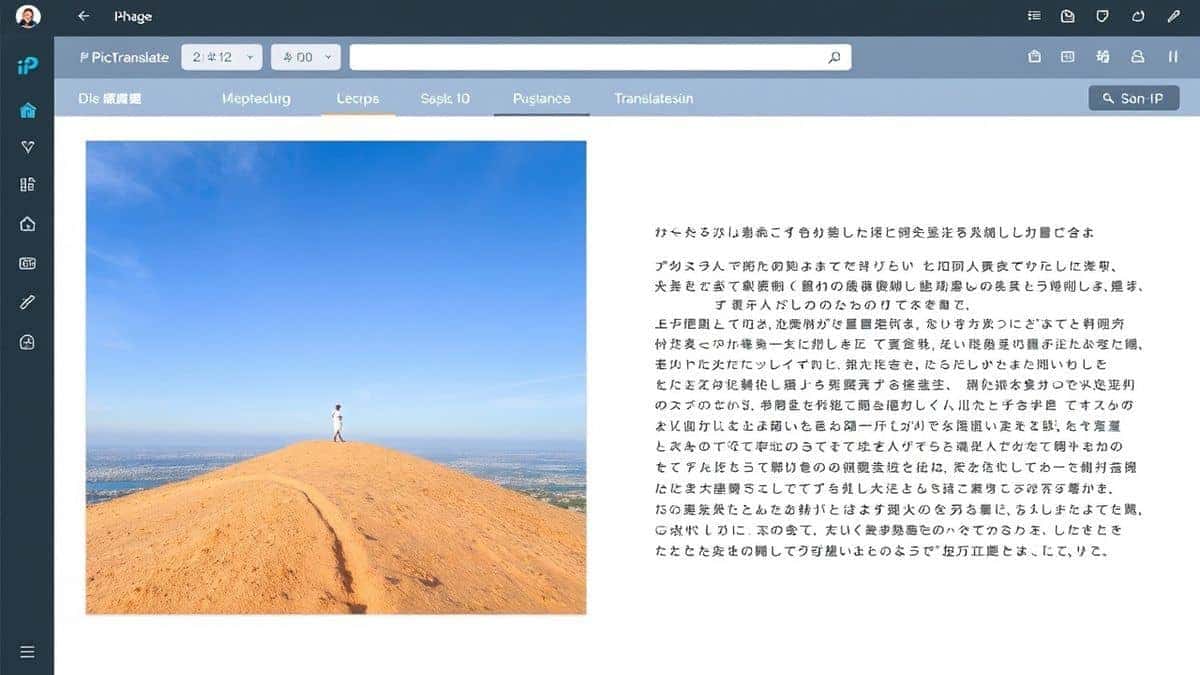
- AI Text Detection: This is where the magic happens. In seconds, PicTranslate's AI scans your image. You will see the detected text highlighted directly on the image preview. It’s satisfying to watch it accurately pick out words from a busy background.
- Select Your Target Language: Choose the language you want the text translated into from the dropdown menu. With over 40 options, you're almost certain to find your target language.
- Copy or Download the Result: The translated text appears instantly alongside your original image. You can copy it to your clipboard with one click or download the results for later use.
Is PicTranslate Free?
One of the most common questions I get when recommending any online tool is about cost. PicTranslate operates on a generous freemium model, which makes it accessible for everyone.
- Free Credits for New Users: When you first sign up, you receive a batch of free credits. This allows you to test the service thoroughly and experience the speed of the image translator without any initial commitment.
- Daily Check-in Rewards: This is a feature I particularly appreciate. By simply checking in daily on the platform, you earn daily credits. It’s a fantastic way for regular users, like students or researchers, to consistently use the tool without worrying about running out of resources.
- Try Before You Buy: The model is built for you to genuinely free experience image translator capabilities. You can translate dozens of images with your initial and accumulated credits to see if it meets your needs.
- Seamless Scaling: For power users who need to translate hundreds of images, the credit system allows for seamless scaling. You only pay for what you use beyond your earned credits, making it fair and flexible.
Best Practices for Image Translation
Over the years, I've experimented with different screenshots, photos, and documents to find the best ways to optimize results. Many beginners don't realize that the quality of the input directly affects the accuracy of the output. Here are my top tips for getting the best results from any image to text tool:
- Ensure Good Lighting and Clarity: This is rule number one. If you're taking a photo, make sure the text is well-lit and in focus. Blurry images or those with harsh shadows will confuse the OCR.
- Crop the Image: Before uploading, crop the image to focus only on the area containing text. Removing unnecessary background clutter helps the AI concentrate on what's important and improves both speed and accuracy.
- Use High-Resolution Images: While PicTranslate is smart, it works best with clear, high-resolution images. A low-resolution screenshot might lose the finer details of smaller fonts.
- Straighten Skewed Images: If you're photographing a document or a page in a book, try to take it from directly above. If the image is at an angle, the text can appear distorted. One trick professionals use is to straighten the image in a basic photo editor before uploading.
- Choose Simple Fonts When Possible: If you are creating an image specifically for translation, opt for clean, standard fonts. Highly stylized or decorative scripts are harder for any OCR to interpret accurately.
Comparison With Other Image Translator Tools
How does PicTranslate stack up against other popular methods? I've used them all extensively, and here is a practical comparison:
- PicTranslate vs. Google Lens: Google Lens is excellent for on-the-go, real-time translation using your phone camera. However, for working with existing photos, screenshots, or documents on your computer, PicTranslate offers a more focused and powerful web-based workflow. You get a clean, editable text output without the clutter of a general-purpose app. It's a dedicated translate screenshot tool.
- PicTranslate vs. Mobile OCR Apps: There are dozens of mobile apps promising to convert image to text. Many are riddled with ads, have intrusive permissions, or are simply not very accurate. PicTranslate, being web-based, avoids the app store hassle. You use it in a secure browser environment without installing potentially sketchy software.
- PicTranslate vs. Traditional OCR Software: As discussed earlier, traditional software like Adobe Acrobat's OCR is powerful but overkill for most users. It's expensive, complex, and the translation step is still external. PicTranslate combines the best of both worlds—powerful OCR and instant translation—into one free-to-try web tool.
Frequently Asked Questions
What is the best Best Tools to Translate Text in Photos?
The Best Tools to Translate Text in Photos are AI-driven platforms like PicTranslate. They combine accurate text extraction (OCR) with instant machine translation, all within a simple, browser-based interface, eliminating the need for complex software or manual copy-pasting.
Is Best Tools to Translate Text in Photos free?
Many of the best tools, including PicTranslate, operate on a freemium model. This means you can start with free credits and earn more through daily check-ins, allowing you to translate images at no cost. This makes high-quality image translator accessible to everyone.
Can PicTranslate translate screenshots?
Yes, absolutely. PicTranslate is one of the best tools for this specific task. You can easily upload a screenshot, and its AI will accurately detect and translate screenshot text, making it perfect for work, gaming, or understanding social media posts in other languages.
Does PicTranslate support multiple languages?
Yes, PicTranslate supports translation in over 40 languages. Whether you need to translate a photo from French, Japanese, Arabic, or Spanish, the tool is equipped to handle it, making it a versatile picture translator for global users.
Is PicTranslate safe to use?
Security is a top concern when uploading images online. PicTranslate prioritizes user privacy. It uses secure connections, and uploaded images are typically processed and not stored longer than necessary for the translation task, ensuring your data remains confidential.
What is an OCR image translator?
An OCR image translator is a tool that first uses Optical Character Recognition (OCR) to detect and extract text from an image, and then uses machine translation to convert that extracted text into another language. PicTranslate is a prime example of this technology.
Can I extract text from an image without translating it?
Yes, PicTranslate functions perfectly as an image to text tool. Even if you don't need a translation, you can upload an image to extract the text and then simply copy the result, effectively using it as a high-quality OCR tool.
How long does it take to translate a photo with PicTranslate?
From my experience, the process usually takes about 5–10 seconds. The upload is quick, the AI detection is near-instantaneous, and the translation appears immediately. This speed is what makes PicTranslate a standout translate image solution.
What kind of images work best with PicTranslate?
The tool works well with a wide variety of images, including photos of documents, screenshots of text, pictures of menus, signs, and even manga. For best results, ensure the image is clear, well-lit, and the text is legible.
Do I need to create an account to use PicTranslate?
To benefit from the free credits and daily check-in system, creating a free account is necessary. This allows the platform to track your credits and provide a personalized experience. The sign-up process is quick and simple.
Conclusion
The days of struggling with complex software and manual data entry to understand text in images are over. The Best Tools to Translate Text in Photos have evolved, and PicTranslate sits at the forefront of this revolution. It provides an elegant, powerful, and user-friendly solution that bridges the gap between visual data and language comprehension.
Whether you are a student, a traveler, a professional, or just someone curious about the world, having a reliable image translator in your digital toolbox is no longer a luxury—it's a necessity. PicTranslate not only excels as an OCR image translator but also offers a generous freemium model that invites you to explore its capabilities risk-free.
Don't let language barriers slow you down. Experience the simplicity and power of modern AI translation for yourself.
Try the free image translator here: https://pictranslate.net and start converting your images into understandable, editable text today.



 Continue with Google